
Manhwa is one of the best Korean reading formats for learners. The dialogue is short, the visual context helps, and modern webtoons expose you to Korean that feels closer to real media than textbook drills.
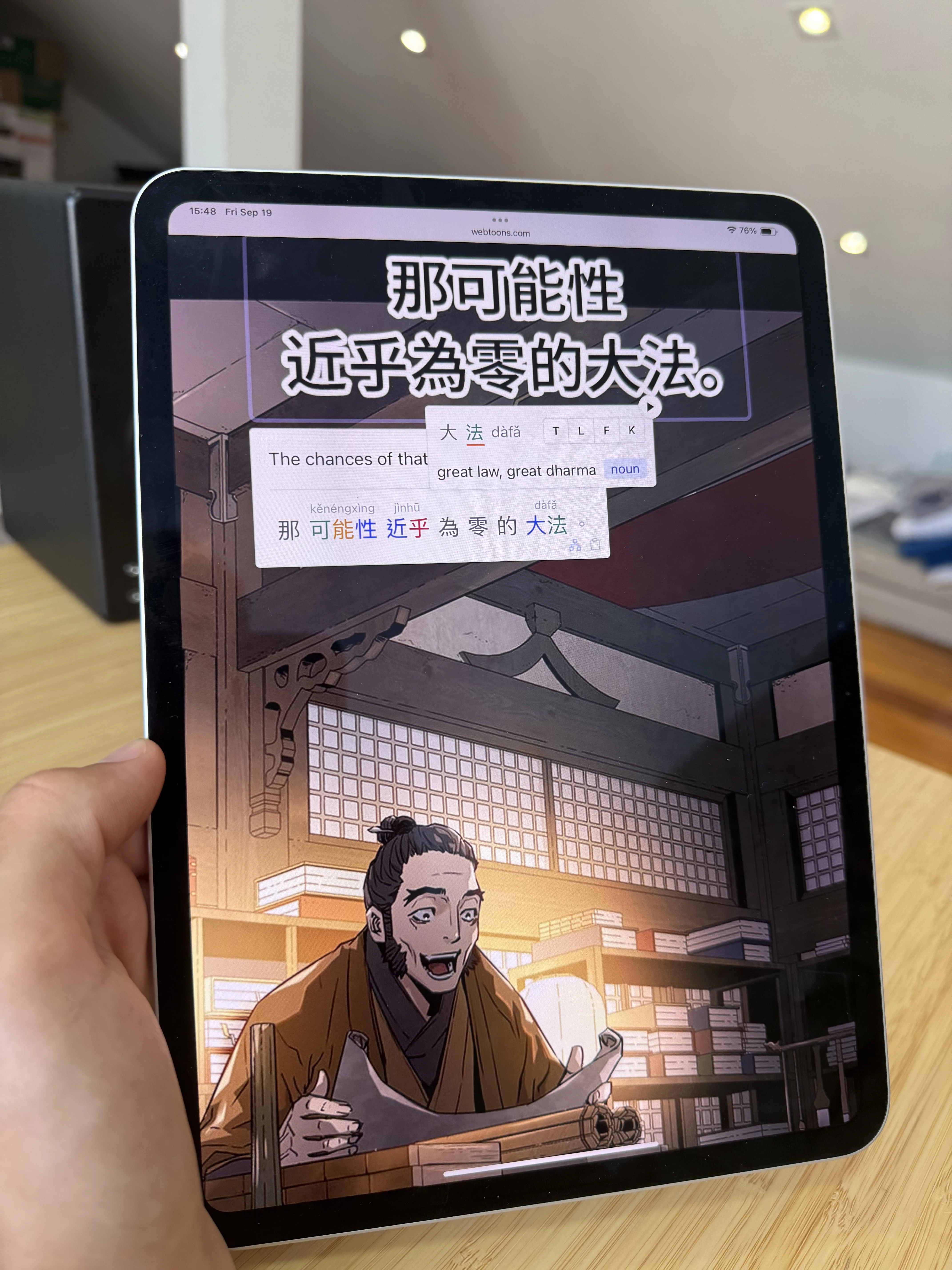
The hard part is technical. Most manhwa text is drawn into images. That means normal popup dictionaries and copy-paste workflows often fail.
Quick Picks
-
Best manhwa study app: Lexirise. OCR, clickable text, vocabulary saving, review, webtoon platforms, and uploaded comic files.
-
Best normal Korean text lookup: a browser dictionary setup. Useful for selectable Korean text, but not enough for image-based webtoons.
-
Best content sources: Webtoon and Korean publisher apps. Good for access, weaker for learner tooling.
-
Best video-first alternative: Migaku. Better for Netflix, YouTube, and Viki than for direct manhwa reading.
Short Version
For manhwa, prioritize OCR and click-to-lookup. If the app cannot read text inside speech bubbles, it will feel slow as a study tool.
Feature Comparison
| Features | Lexirise | Yomitan | Webtoon app | Migaku | LingQ |
|---|---|---|---|---|---|
| Manhwa Reading | |||||
| OCR for image-based speech bubbles | Mobile app OCR only | ||||
| Click Korean words in panels | Selectable text only | Clipboard workaround | Imported text only | ||
| Works on Webtoon and Korean comic sites | Only if text is selectable | Reader only | |||
| Upload CBZ, CBR, ZIP, RAR, PDF | Pro storage | ||||
| Learning Tools | |||||
| Save vocabulary with sentence context | Manual setup | Paid | |||
| SRS review | Pro | Use Anki | Paid | Review tools | |
| Practice with saved words | Pro | ||||
| Same library for manhwa, videos, and podcasts | Video/web focus | Text/audio focus | |||
Lexirise
Lexirise is the cleanest fit for manhwa because it treats image text as the default problem, not an edge case. You can use the browser extension on supported comic sites, save words from speech bubbles, and keep everything in your vocabulary library.
Pro adds custom uploads for comic files, SRS review, Practice Scenarios, exports, analytics, and storage.
Webtoon and Publisher Apps
Webtoon, Kakao, Naver, Lezhin, Ridi, and other publisher apps are where the content lives. Use them when they have the series you want.
As study tools, they are limited. They usually do not give you one-click Korean word lookup from image text, and they do not turn saved words into a review library.
Yomitan and Browser Dictionaries
Browser dictionaries are useful for Korean pages with selectable text. They are less helpful for manhwa because the text is usually part of the image.
You can combine OCR tools with a dictionary, but that adds steps. It works if you are patient. Most learners read more when the lookup path is built into the reader.
Migaku and LingQ
Migaku is better known for video and web text study. It can help with Korean media, but direct browser-based manhwa OCR is not its main lane.
LingQ is useful for Korean text and audio lessons. It is less natural for image-first comics unless you already have text extracted elsewhere.
What to Read First
Start with genres that repeat everyday words:
- Slice-of-life
- School stories
- Romance
- Comedy
Fantasy, historical, and action series are fun, but they can bury you in names, invented terms, and formal speech.
Read for the story first. Save words that show up more than once or block the panel. If you mine every unknown word, you will spend more time maintaining flashcards than reading Korean.
Read Korean manhwa with lookup and review
Open supported webtoon sites or upload comic files, then save Korean words in context.
 Download for Chrome


