Learn Japanese on Crunchyroll
If you've searched for "Migaku Crunchyroll" hoping to use it for anime immersion, you've probably discovered the bad news: Migaku doesn't support Crunchyroll. Their browser extension works on Netflix, YouTube, Disney+, and Rakuten Viki, but not on the platform where most anime fans actually watch anime.
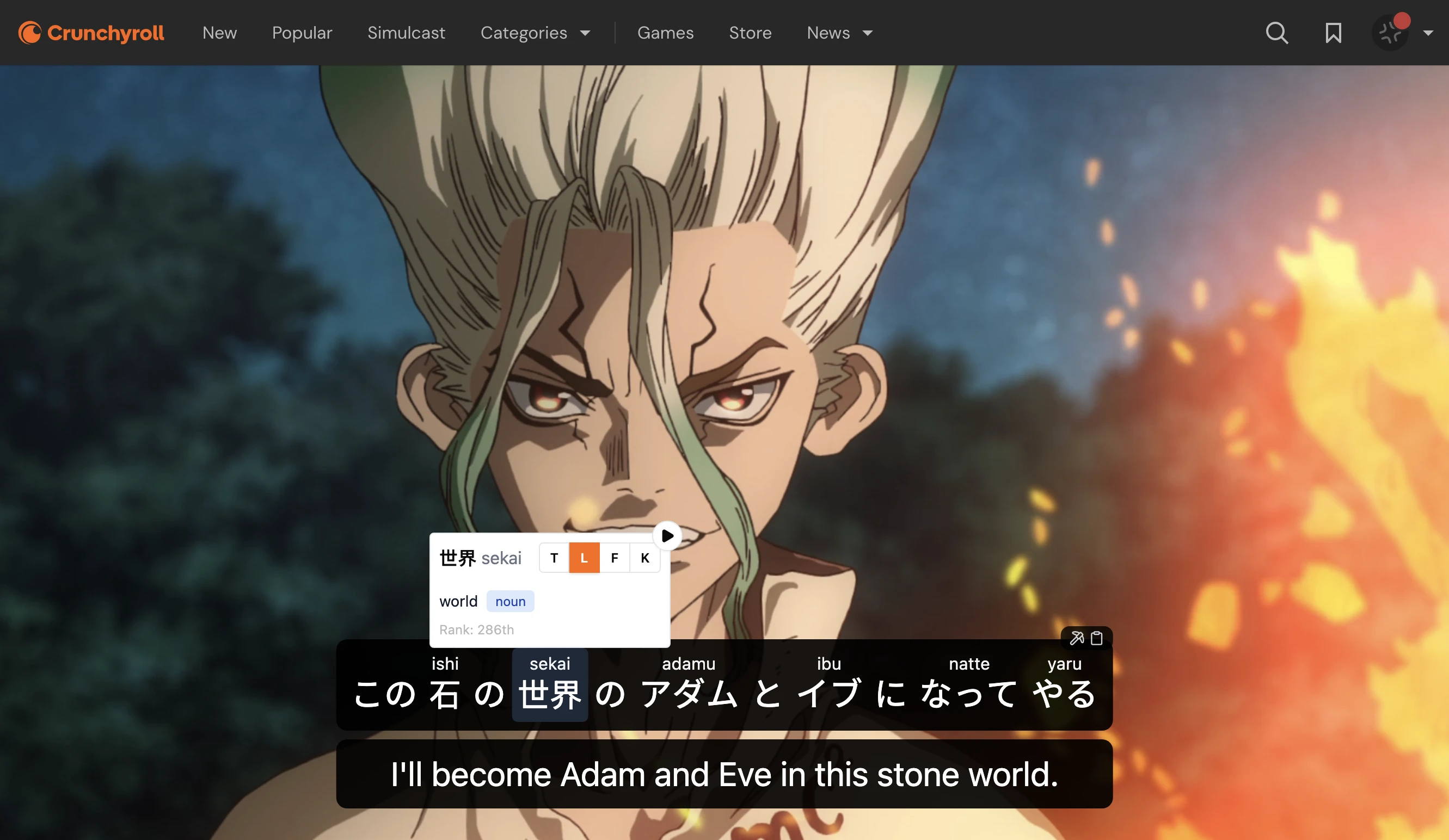
Lexirise does support Crunchyroll. It's a browser extension that gives you dual subtitles, click-to-translate, and vocabulary mining while you watch. The core features are free.
What You Get
When you install the extension and open Crunchyroll, you get:
- Dual subtitles: Japanese text with your native language below (or hidden until you hover)
- Click-to-translate: Tap any word in the subtitles to see its reading and definition
- Vocabulary mining: Save words and the sentence they appeared in for later review
- Playback controls: Auto-pause on unknown words, skip sections without dialogue
Works with your existing Crunchyroll account
Lexirise doesn't replace Crunchyroll. It's a layer on top. You still need a Crunchyroll subscription to access their content.
 Download for Chrome


Why Anime Works for Japanese Learning
Anime immersion is effective for a few reasons:
- Natural speech patterns: Anime dialogue ranges from casual to formal, exposing you to registers textbooks skip
- Context and emotion: You're not just learning words, you're seeing them used in situations that make sense
- Repetition through genres: Watch enough slice-of-life and you'll internalize everyday vocabulary; watch enough isekai and you'll pick up fantasy terms
- Motivation: You're more likely to stick with something you enjoy than force yourself through Pimsleur
The catch is that passive watching doesn't build vocabulary. You need a way to capture words you don't know and review them later. That's where tools like Migaku come in, except they don't work on Crunchyroll.
How It Works
When you install the extension and navigate to Crunchyroll, Lexirise activates automatically. The video player gets an overlay with language learning controls.
The workflow looks like this:
- Start watching an episode with Japanese subtitles enabled
- When you encounter an unfamiliar word, click it
- A popup shows the reading (furigana), definition, and example usage
- Click save to add it to your vocabulary library
- The word, plus the full sentence and timestamp, gets stored for review
You don't need to pause, tab to a dictionary, copy-paste, or break your focus. Everything happens inline.
Platform Comparison
Here's how platform support compares between Lexirise and Migaku:
| Features | Lexirise | Migaku |
|---|---|---|
| Anime & Video Platforms | ||
| Crunchyroll | ||
| Netflix | ||
| Prime Video | ||
| YouTube | ||
| Disney+ | ||
| Bilibili | ||
| Learning Features | ||
| Dual subtitles | ||
| Click-to-translate | ||
| Vocabulary mining | ||
| Sentence saving | ||
| Free tier available | Unlimited | 10-day trial |
If Disney+ is your primary platform, Migaku might be the better fit. But Lexirise now covers most major streaming platforms including Crunchyroll, Netflix, and Prime Video.
Beyond Watching: Review and Retention
Saving words is step one. Remembering them is step two.
Lexirise gives you a few options:
Built-in SRS (Pro): The vocabulary you save feeds into a spaced repetition system using the FSRS algorithm. Cards include the sentence context from the anime, so you're reviewing words in the situations where you encountered them.
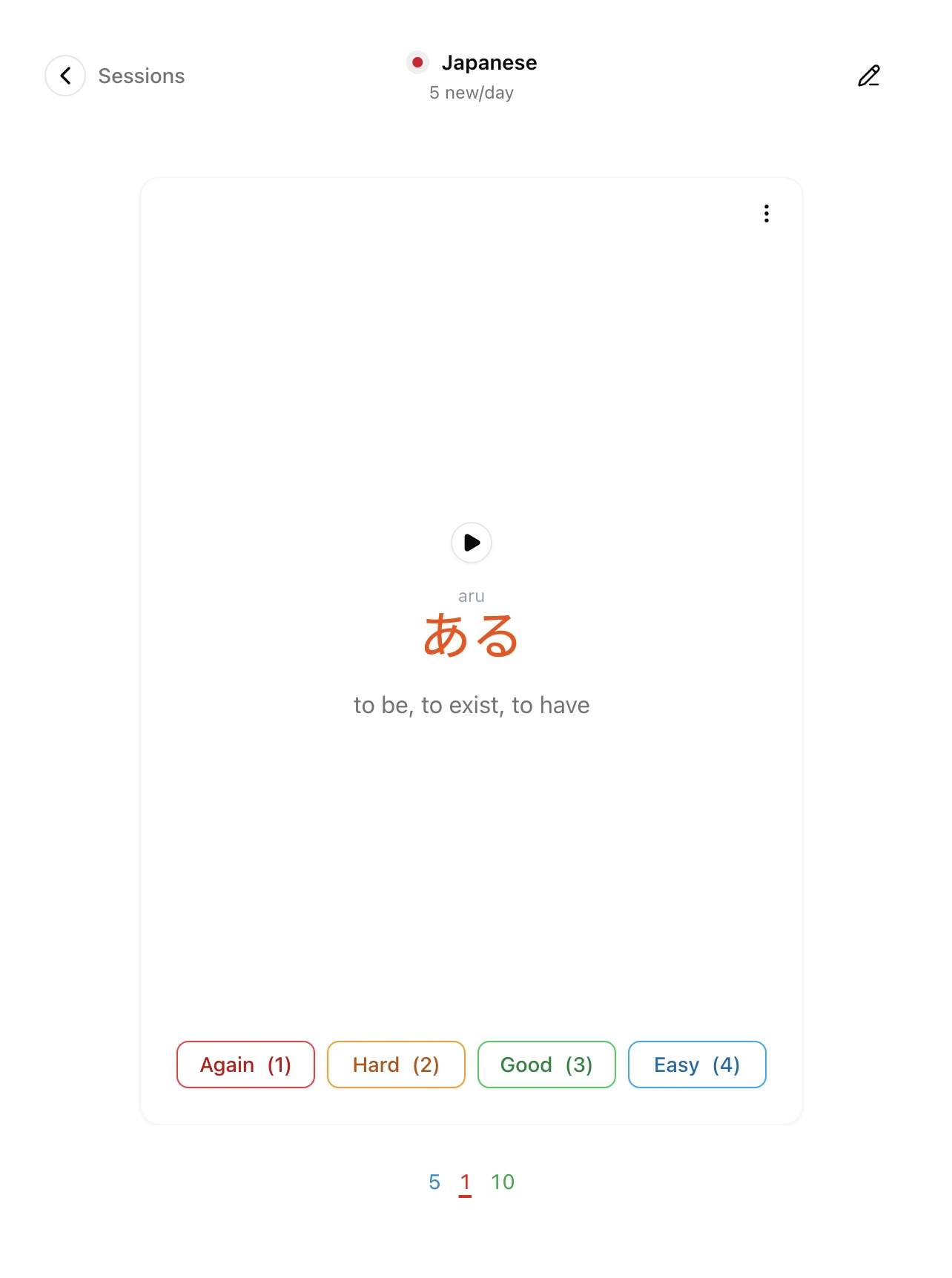
Anki export: If you prefer managing your own flashcards, you can export your vocabulary to Anki format. Each card includes the word, reading, definition, example sentence, and source.
Just reading: Some learners skip formal review entirely and rely on repeated exposure through more immersion. The vocabulary library still helps by showing you which words you've seen, how often, and where.
Tips for Anime Immersion
A few things that help:
- Watch shows you've seen before: If you already know the plot, you can focus on language instead of following the story
- Rewatch scenes with many unknown words: The first pass catches the gist; the second pass builds vocabulary
- Don't save every word: Focus on words you've seen multiple times or ones that seem useful
- Mix difficulty levels: Slice-of-life for everyday vocabulary, action for more varied speech
- Use Japanese subtitles, not closed captions: CC often simplifies or paraphrases dialogue
Subtitle accuracy varies
Crunchyroll subtitles are translations, not transcriptions. For more accurate Japanese text, some learners use fan-made subtitle files with asbplayer. Lexirise works with whatever subtitles are available on the platform.
Getting Started
Turn your Crunchyroll time into study time
Install the extension, open an anime, and start building vocabulary from shows you already watch.
The extension is free for core features. Vocabulary mining, dual subtitles, and saving words all work without a subscription. Pro features like SRS reviews and AI practice are optional upgrades for those who want structured review.
If you've been looking for Migaku Crunchyroll support and coming up empty, give Lexirise a shot. It takes about a minute to set up and works on the next episode you were going to watch anyway.