Yomitan for Anime? Better Alternatives for Video
If you use Yomitan (or its predecessor Yomichan) for reading Japanese, you might wonder if it works for anime too. The short answer: not really.
Yomitan is designed for web page text. It hooks into text nodes in the DOM and shows dictionary popups when you hover. Video subtitles don't work the same way. Even when subtitles are selectable text (which they often aren't), you'd need to pause the video, move your mouse to the subtitle, hover, and read the popup while the video is frozen. That's not a practical workflow.
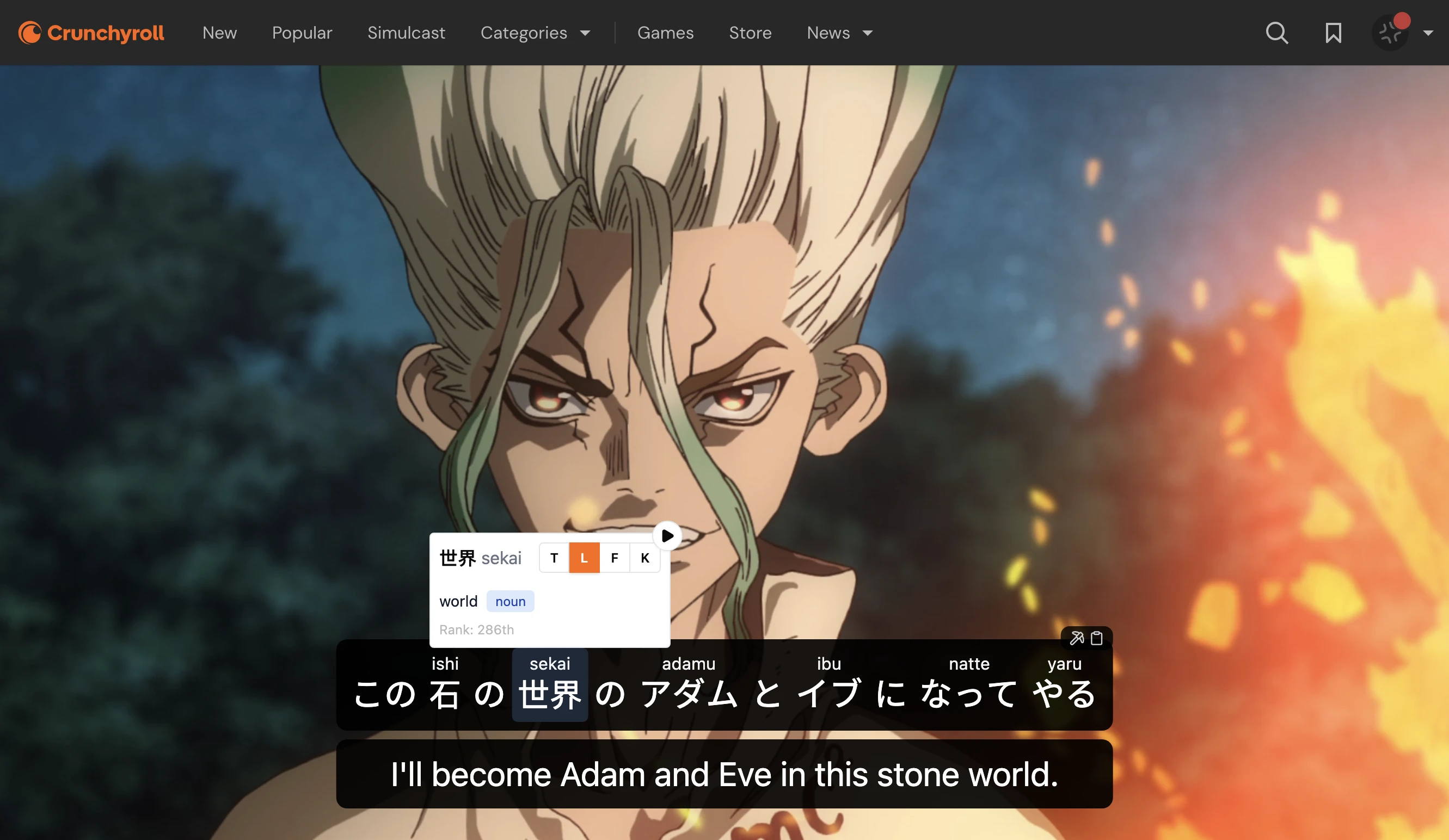
For anime immersion, you need tools built for video. Lexirise integrates directly with video players on Crunchyroll, Netflix, Prime Video, YouTube, and Bilibili. Click any word in the subtitles, see the definition, save it to your vocabulary. No pausing, no hovering, no switching tabs.
Why Yomitan Doesn't Work for Video
Yomitan excels at one thing: reading text on web pages. When you're on a Japanese website, blog, or news article, it's fantastic. Hover over any word, get instant definitions, see pitch accent, parse grammar.
But video is different:
Timing issues. Subtitles appear for 2-3 seconds. By the time you pause and hover, the moment has passed.
Selection problems. Many streaming sites render subtitles as images or use custom rendering that Yomitan can't hook into.
Flow disruption. Even if you get it working, the constant pause-hover-unpause rhythm destroys immersion.
No vocabulary saving. Yomitan shows definitions, but saving words for later requires manual export to Anki. There's no automatic capture of the sentence context from the video.
What Video Learning Tools Should Do
A good anime learning setup needs:
- Click-to-translate that works within the video player
- Vocabulary saving with the sentence and timestamp
- Dual subtitles (Japanese + your language) when you want them
- Integration with your streaming platform so you don't have to use workarounds
Lexirise vs Yomitan for Video
| Features | Lexirise | Yomitan |
|---|---|---|
| Video Support | ||
| Works in video players | ||
| Click subtitles to translate | Requires pausing | |
| Dual subtitle display | ||
| Auto-pause on unknown words | ||
| Platforms | ||
| Crunchyroll | ||
| Netflix | ||
| Prime Video | ||
| YouTube | Limited | |
| Bilibili | ||
| Web pages (articles, etc.) | ||
| Vocabulary Building | ||
| Save words with one click | Via Anki integration | |
| Sentence context saved | Manual | |
| Timestamp saved | ||
| Built-in SRS review | Pro | |
Important note
Yomitan is still excellent for reading. If you're reading Japanese web pages, news, novels, or any selectable text, keep using Yomitan. It's the best tool for that job.
The point isn't that Yomitan is bad. It's that video requires different tools. Use Yomitan for reading, Lexirise for watching.
How Lexirise Works with Video
When you install the extension and open a supported video site:
- The video player gets a Lexirise overlay
- Japanese subtitles become clickable
- Click any word to see readings, definitions, and grammar
- Click save to add it to your vocabulary library
- The word, sentence, and video timestamp all get captured
You can also enable dual subtitles (Japanese above, English below), auto-pause when unknown words appear, and skip sections without dialogue.
 Download for Chrome


Other Video Learning Options
If you want alternatives to compare:
Migaku: Similar features to Lexirise. Works on Netflix and Disney+. $9-10/month after trial.
Language Reactor: Free tier for Netflix and YouTube. No Crunchyroll or Prime Video support.
asbplayer: Open-source, works with external subtitle files. More setup required, but free and flexible. Can pair with Yomitan for lookups if you're determined.
For Crunchyroll specifically, Lexirise is one of the few options that actually works.
When to Use Each Tool
| Task | Best Tool |
|---|---|
| Reading Japanese websites | Yomitan |
| Reading manga/webtoons | Lexirise (OCR overlay) |
| Watching anime on Crunchyroll | Lexirise |
| Watching on Netflix or Prime Video | Lexirise, Migaku, or Language Reactor |
| Watching with external subtitles | asbplayer + Yomitan |
| Visual novels (text-based) | Yomitan or textractor |
The best setup uses multiple tools for different content types. Yomitan for reading, Lexirise for video and manga. They complement each other.
Learn Japanese from anime, not just web pages
Lexirise integrates with video players where Yomitan can't. Click subtitles, save words, build vocabulary.
Vocabulary Review
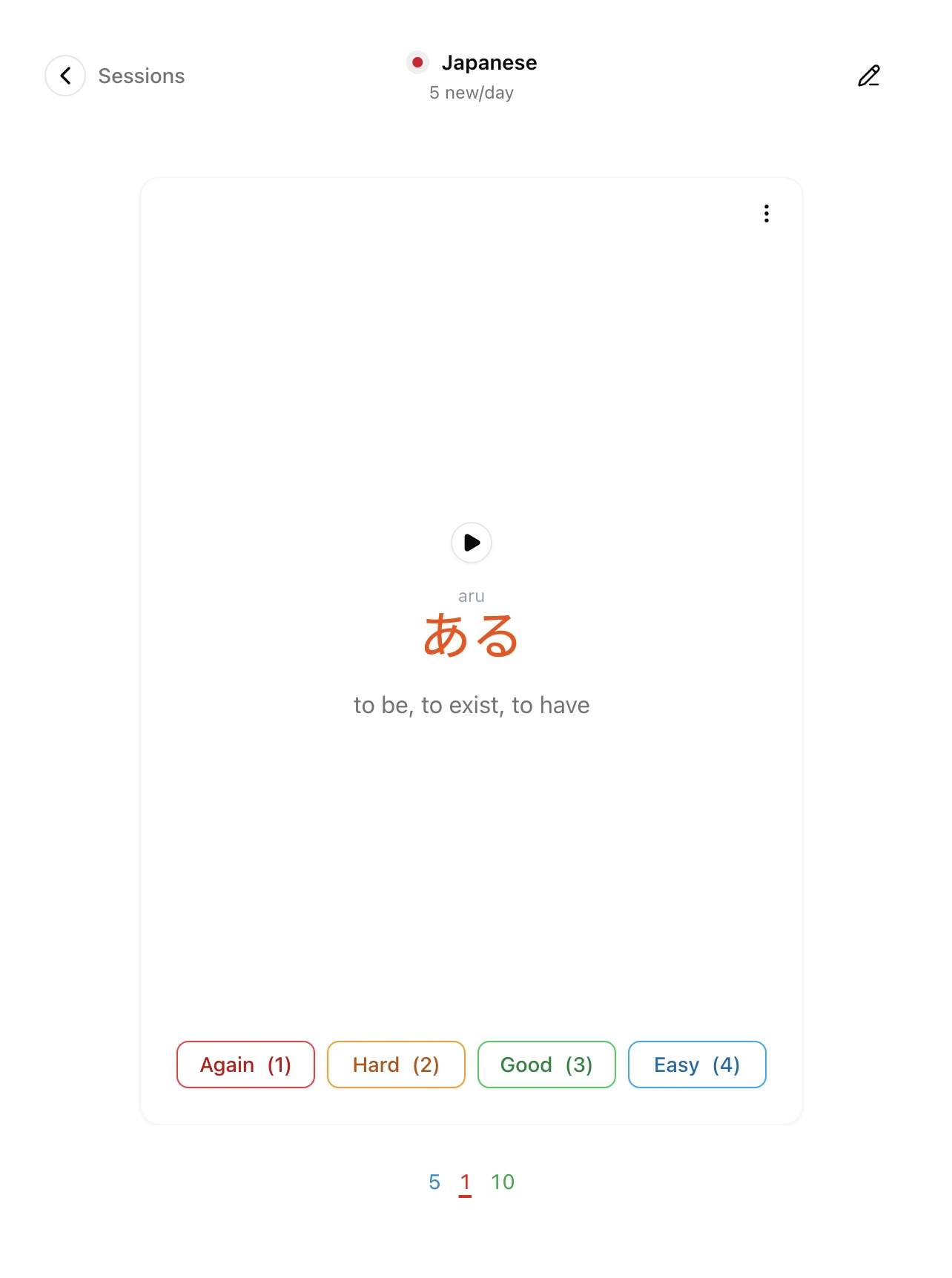
Words you save from anime go into your Lexirise library with full context: the sentence, the video source, and the timestamp. You can:
- Review with built-in SRS (Pro): Spaced repetition with context from the show
- Export to Anki: Get your vocabulary into your existing flashcard setup
- Just keep watching: More immersion = more encounters with the same words
Getting Started
The Lexirise extension is free for core features. Video immersion, click-to-translate, and vocabulary saving all work without a subscription. Pro adds SRS reviews, AI conversation practice, and exports.
If you've been trying to make Yomitan work for anime and getting frustrated, try Lexirise. It's built for video from the ground up.